Using the dashboard
How to search a vehicle by registration on the dashboard
Type the registration into the VRM box, add the mileage if you know it, and click Search. DealerPricing decodes the make, model, variant, engine, gearbox, body and keeper count, then loads every comparable live listing plus MOT status, insights and the valuation card. Spaces and lower case are fine.
Step by step
Enter the registration and mileage
Mileage is optional but makes the comparables and valuation more accurate.

The dashboard VRM search with registration and optional mileage fields Check the decoded vehicle
The bar under the search shows exactly what was identified. Click it to expand the full specification with VIN, engine and performance data.

Decoded vehicle bar: Land Rover Range Rover First Edition 3L 2023 SUV, petrol/electric, automatic Work through the tabs
Pricing holds the valuation, calculator and insights summary; Vehicle Details holds the spec check; History holds MOT and service history; Insights holds supply and demand.
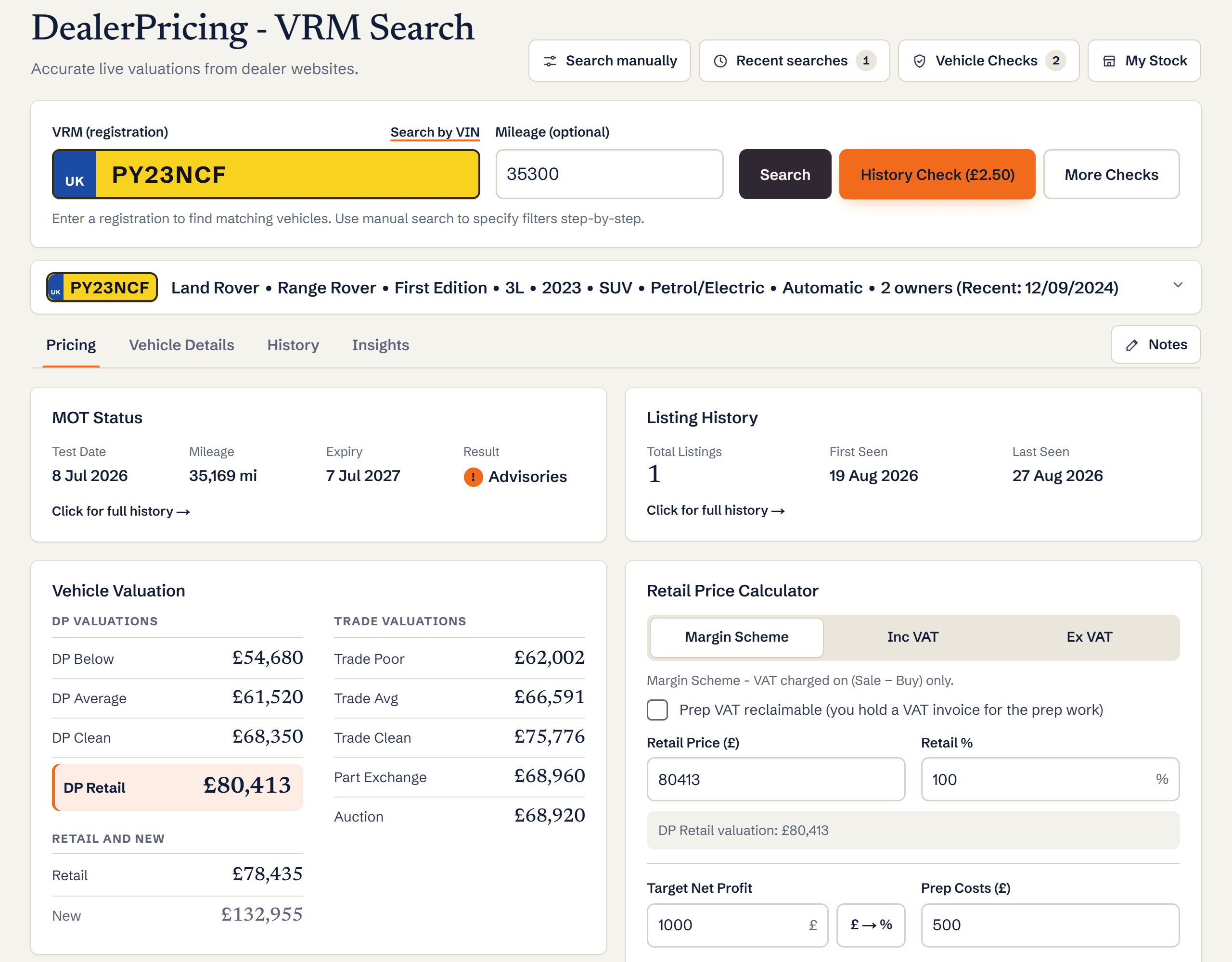
Dashboard pricing tab showing MOT status, listing history, retail price calculator, insights and vehicle valuation
What you’ll see
- Decoded make, model, variant, engine, gearbox, body style and doors
- Keeper count and date of the last change
- Live comparable listings with the search chips applied
- MOT status, insights summary and valuation on the Pricing tab
Ready to try it?
Already a member? Log in and open the dashboard.
Frequently asked questions
What if the registration is not recognised?
Check for a typo, then try Search manually to describe the car by make, model, year, fuel, gearbox and body. Very new or recently re-registered cars can take a few days to appear in the DVLA feed.
Why does it ask for mileage?
Mileage changes the valuation and narrows the comparables to cars like yours. Without it, results are matched on age and spec only.
Does a search use up my monthly allowance?
Yes, each VRM search counts against your plan’s monthly searches. Reopening a car from Recent Searches does not.