Pricing & valuations for dealers
How to check a car’s manufacturer service history by registration
Search the registration on the DealerPricing dashboard, open the History tab and click Check Service History. The check queries the manufacturer’s dealer network records and returns each service with its date, mileage, dealer and type, plus a PDF. It covers 22 brands including Audi, BMW, Ford, Mercedes-Benz, Toyota and Volkswagen, and is included on Pro plans.
Step by step
Search the registration on the dashboard
Enter the VRM and, if you know it, the mileage. DealerPricing decodes the exact make, model, variant, engine, gearbox and body style, then pulls every matching live listing.

The dashboard VRM search with registration and optional mileage fields Open the History tab and click Check Service History
The request goes to the manufacturer’s records. It can take a few minutes; you will be notified when it completes and can carry on working.
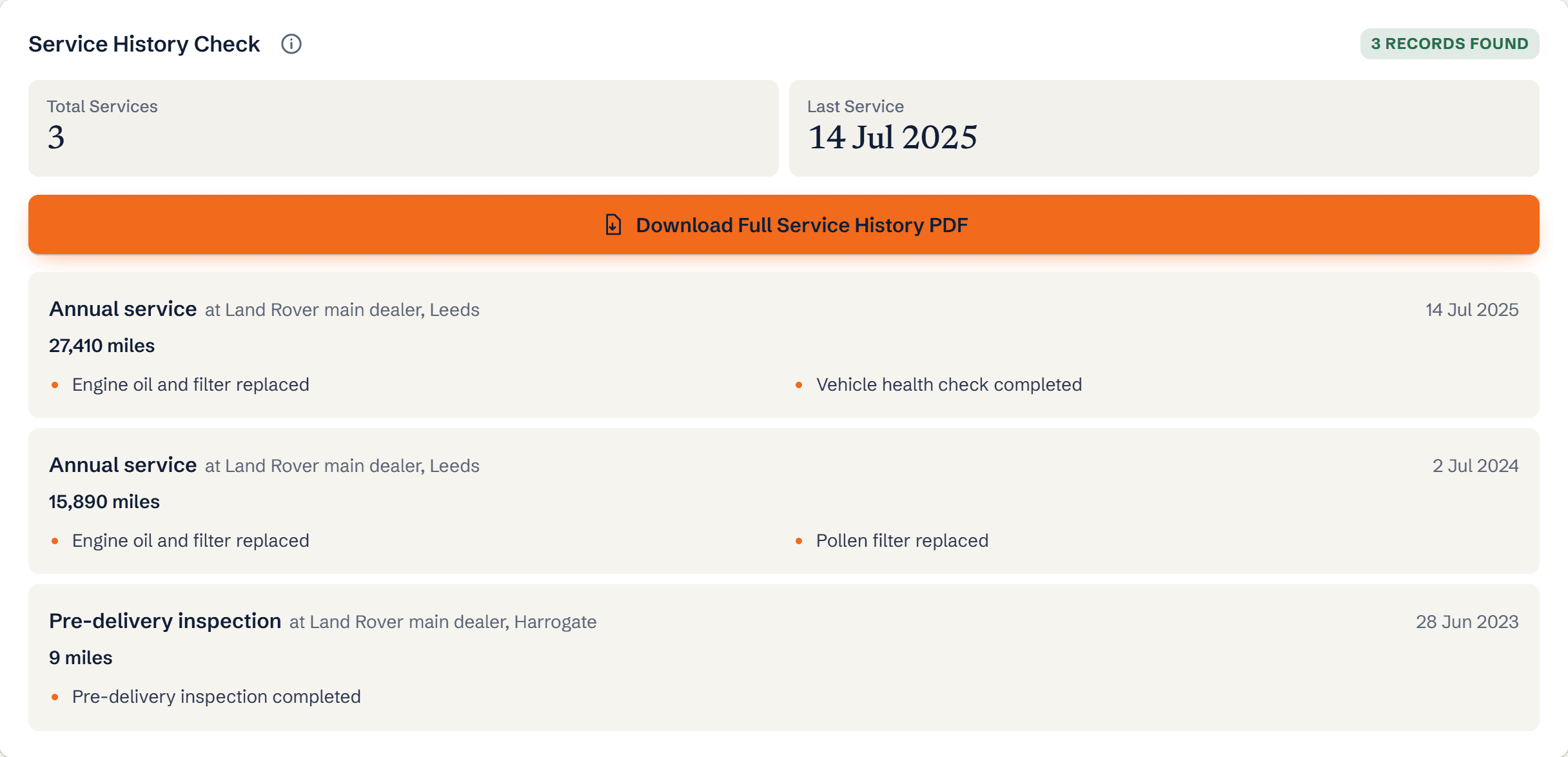
The History tab with the Service History Check panel and MOT history Read the service records
Each entry shows the date, mileage, dealer and service type. Gaps between the recommended intervals are obvious once the dates are side by side. Download the PDF for the deal file.
What you’ll see
- Every recorded service with date and mileage
- The dealer that carried out each service
- Service type: minor, major, oil service, brake fluid and similar
- Recalls and software updates applied at the dealer
Ready to try it?
Plans from £70/month, 50% off your first month. 680,000+ live listings from 11,000+ UK dealers.
Frequently asked questions
Which manufacturers are covered?
Audi, BMW, Cupra, Ford, Jaguar, Land Rover, Lexus, Mazda, Mercedes-Benz, MG, MINI, Nissan, Porsche, Renault, Rolls-Royce, SEAT, Skoda, Smart, Toyota and Volkswagen. Coverage is best for cars from around 2012 onwards, when digital service records became standard.
Does a stamped book count as full service history?
A stamped book can be forged; a manufacturer record cannot. Franchised dealers check the digital record when valuing a part-exchange, so matching it is the safest way to justify a full-history premium, typically 5 to 10 percent.
What if the car was serviced by an independent garage?
Independent services do not appear in the manufacturer record unless the garage uploaded them, which some now do. Ask for invoices for any gap and price accordingly.
Ready to run it? Service history check prices compared
Related guides
Terms explained
- Service historyService history is the documented record of every service, repair and maintenance event a vehicle has had - typically held in the service book, on the manufacturer's dealer system, or in a digital service record.
- Digital service recordA digital service record is the manufacturer-held electronic log of a vehicle's servicing, written to by franchised dealers (and some licensed independents) in place of the stamped paper service book, and retrievable by VIN or registration.