Vehicle history checks
How to check if a car is a write-off (Cat A, B, S or N)
Run a vehicle history check on the registration. The write-off marker searches the insurers’ MIAFTR register and shows the category (A, B, S or N), the insurer, the date of loss and the date the record was added. Free DVLA and MOT checks cannot show write-offs. A DealerPricing check costs £3.99.
Cat S - Structural
Can return to the roadStructural damage (chassis, crumple zones) that has been, or can be, professionally repaired.
Should you buy one? Only with proof of repair and a price well below a clean example. Must be re-registered with the DVLA before it is driven.
Full definition of Cat S →Step by step
Open the vehicle history check
Go to the DealerPricing vehicle history check. It searches the same national databases that branded checks such as HPI use: the Police National Computer, the insurers’ MIAFTR register, finance company records and the DVLA.
Vehicle history check →Enter the registration and pay £3.99
Type the number plate and click "Check History". One-off checks cost £3.99; subscribers pay £2.50 from their account balance. The report is ready in seconds.
The vehicle history check form with the Check History button Read the write-off marker
Under History Check, "Write-off" shows "No write-off recorded" or "Write-off recorded" with the category, description, loss date, insurer and claim reference.
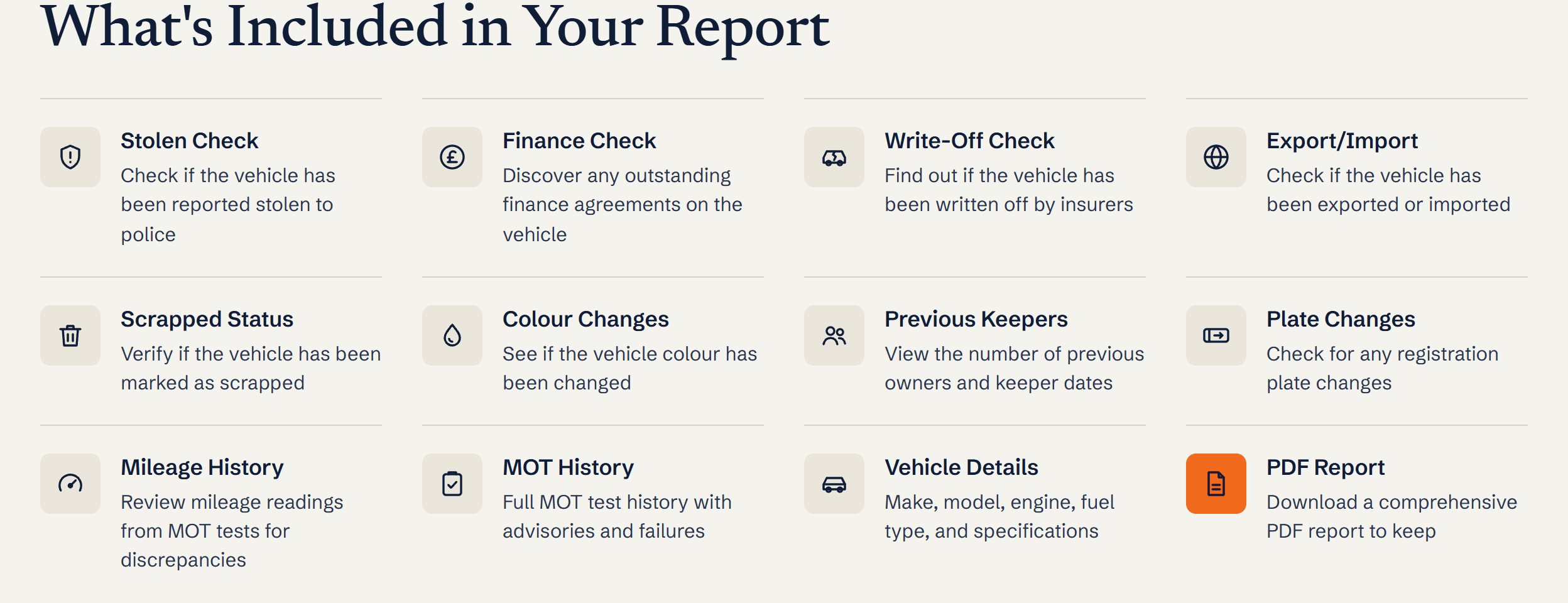
What is included in a DealerPricing history report: stolen, finance, write-off, export/import, scrapped, colour changes, keepers, plate changes, mileage, MOT history, vehicle details and PDF Judge the category
Cat A and B cars must never be back on the road. Cat S (structural) and Cat N (non-structural) can be repaired and sold, but should be priced well below a clean car and inspected by someone who knows what to look for.
What you’ll see
- Write-off category: A, B, S or N (older records may show C or D)
- Insurer, loss date and when the record was added to MIAFTR
- Whether the vehicle was later removed from the register
- A theft-related MIAFTR entry shown separately as a stolen marker
Ready to try it?
£2.50 for DealerPricing subscribers. Report stored for 6 months with a PDF.
Frequently asked questions
What is the difference between Cat S and Cat N?
Cat S means the structure (chassis or crumple zones) was damaged; Cat N means only non-structural parts such as panels, lights, electrics or interior. Both can be repaired and driven again once roadworthy. There is no re-registration: DVLA records the category on the log book, and an owner who keeps a Cat S car sends the log book to the insurer and applies for a new one on form V62. A Cat S is worth 20 to 40 percent less than a clean car; Cat N typically 10 to 25 percent less.
What happened to Cat C and Cat D?
The ABI replaced them with Cat S and Cat N in October 2017. C and D were based on repair cost versus value; S and N describe the type of damage instead. Cars written off before 2017 keep their old letter.
Can a write-off be hidden from a check?
Only if the car was repaired privately without an insurance claim. Any insurer pay-out is recorded on MIAFTR and appears on every history check. That is also why a long gap in MOT history with no marker is worth asking about.
Does the V5C show a write-off?
A Cat S vehicle gets a new V5C after re-registration, and a Cat A or B should never receive one, but the logbook does not print the category. Only a history check against MIAFTR shows it.
Ready to run it? Insurance write-off check
Related guides
Terms explained
- Category S write-offCategory S means a UK vehicle has been written off due to structural damage but has been (or can be) repaired and legally returned to the road.
- Category N write-offCategory N means a UK vehicle has been written off due to non-structural damage - cosmetic, electrical or component-level - and can be repaired and legally returned to the road.
- Category A write-offCategory A is the most severe UK insurance write-off classification - the vehicle must be scrapped in its entirety with no parts salvaged for re-use.
- Category B write-offCategory B is the second-most-severe UK write-off - the body shell must be destroyed but salvageable mechanical parts may be sold for use in other vehicles.