Using the dashboard
How to use the retail price calculator
The Retail Price Calculator on the Pricing tab works backwards from the retail price. Choose Margin Scheme, Inc VAT or Ex VAT, enter the retail price, your target net profit as a percentage or amount, and prep costs. It returns your maximum buy price; add what you paid to see the net profit.
Max buy = retail − (retail × margin) − prep. The dashboard calculator does the same sum with the live retail figure for the exact car.
Step by step
Choose the VAT mode
Margin Scheme for most used car sales; Inc VAT or Ex VAT for VAT-qualifying vehicles. Tick Prep VAT reclaimable if you hold VAT invoices for the prep.
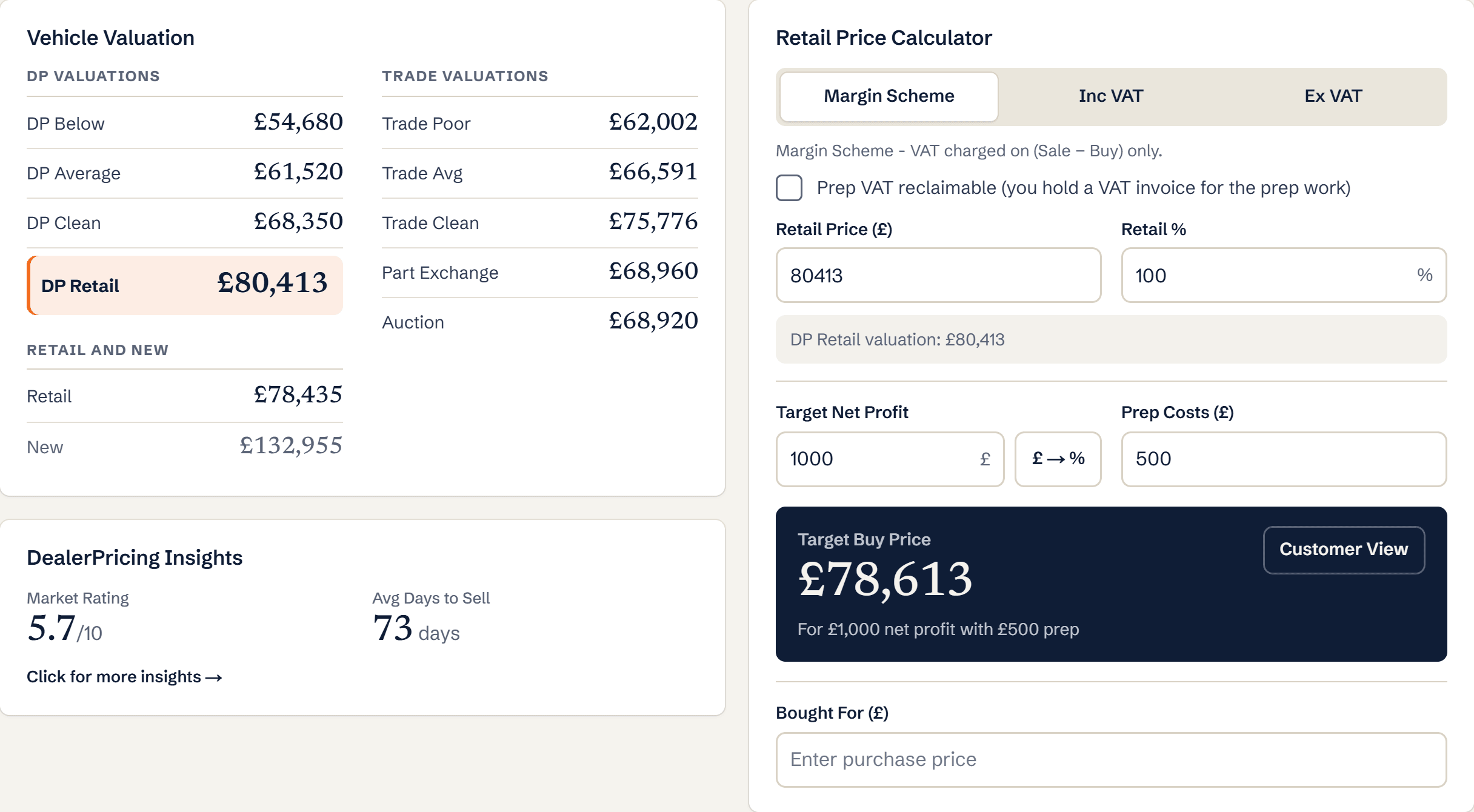
Retail Price Calculator with margin scheme, retail price, target net profit and prep costs Enter retail price, target profit and prep
Use the DP Retail valuation as the retail price for a live figure.
Add the price you paid
Bought For turns the calculator into a profit tracker for the car.
What you’ll see
- Maximum buy price for your target margin
- Net profit at the price paid
- VAT handled correctly for each scheme
Ready to try it?
Already a member? Log in and open the dashboard.
Frequently asked questions
What margin should I enter?
Your real target after overheads. Many independents work to 10 to 15 percent gross on mainstream stock and more on cheaper cars where fixed costs dominate.
Does the calculator save my inputs?
Inputs stay with the vehicle while it is in Recent Searches. Add a note if you want to keep the figures longer.